Applied to dozens of jobs but heard nothing back? Learn how ATS resume parsing, scanned PDFs and complex CV formatting can prevent recruiters from finding your experience.
Why Your CV Might Never Get Read — Even If You're Qualified
If you've applied to dozens of jobs and heard nothing back — not even a rejection — the problem might not be your experience. It might be your file format.
The part of hiring nobody explains to candidates
Most companies today use an Applicant Tracking System (ATS) to manage incoming applications. When you apply, your CV doesn't go straight to a person. It goes through software first — software that tries to extract your name, experience, skills, and education into structured fields a recruiter can search and filter.
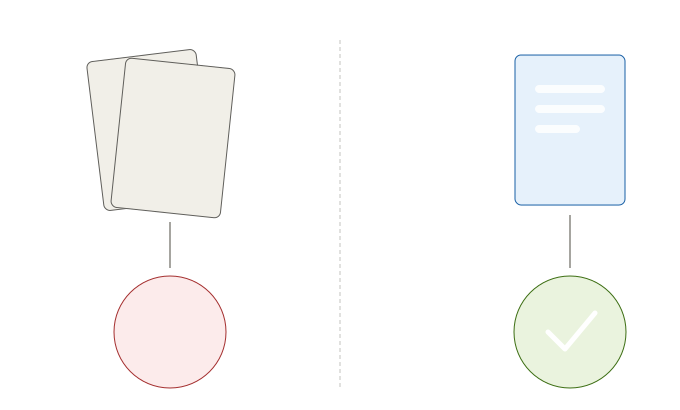
This works well when your CV is a clean, text-based document. It breaks down completely when your CV is:
- A scanned image (even saved as a PDF)
- Designed in a tool like Canva or Photoshop, with text placed inside graphics
- Built using tables, columns, or text boxes that don't read in a straight line
In these cases, the parser doesn't fail loudly. It doesn't send you an error. Your application simply doesn't populate correctly in the system — sometimes it doesn't populate at all. From the recruiter's side, it can look like you never applied.
A short history of how we got here
Twenty years ago, hiring was manual. Every CV was opened and read by a person, however long that took. Applicant volumes were smaller, and there was no software layer between candidate and recruiter.
Over the last decade or two, larger companies moved to ATS platforms — some still running on legacy systems that have been in place for years — to handle scale. These systems brought real efficiency: faster shortlisting, searchable candidate databases, structured hiring pipelines. But they also introduced a new failure point that most job seekers don't know exists.
What this means if you're job hunting right now
The fix is simpler than most people expect:
- Save your CV as a text-based PDF — not a scanned image, not an exported design file. If you can highlight and copy the text in the PDF, a parser can likely read it too.
- Avoid tables, text boxes, and multi-column layouts. They look clean to a human eye but often confuse automated parsing.
- Use standard section headers — Experience, Education, Skills — rather than creative or unconventional titles. Parsers rely on pattern recognition.
- Keep formatting simple. A visually "boring" CV that a machine can read correctly will outperform a beautifully designed one that gets lost in the system.
None of this is about dumbing down your CV. It's about making sure the person you're trying to reach actually gets the chance to see it.
The bigger picture
This isn't a criticism of any particular company or system — it's simply how hiring at scale works today. Understanding it doesn't guarantee an interview, but it removes one invisible barrier that has nothing to do with your qualifications and everything to do with a technical mismatch nobody warned you about.
Nestor Hire
Explore live roles and candidate experience on the higher-traffic Nestor Hire platform.
Explore roles →Nestor Services
Visit the homepage to understand how Nestor Hire and Nestor Core connect.
About Nestor Services →